


Your System. Your Way.
Start with the X100 Bridge Gateway. Explore below to choose the sensors for your system.
Select a spot to explore.
Select here, then review quantities and add the system to your cart above.
Sensor Details (opens in a new tab)BUILD YOUR SYSTEM
Mix and match sensors
for the spaces you care about.
10%
OFF15%
OFF20%
OFFEligible LTV sensors. Discount automatically applied at checkout.
Works with La Crosse View®
Monitor water detection for basements, sinks, and appliances, temperature throughout your home (or in the freezer), humidity in various spaces, open/closed status of doors and gates, pool conditions, food temps, and more. La Crosse View is required to connect Bridge Gateways (sensor relays) to Wi-Fi, set and receive custom app alerts, and view data remotely, anytime, anywhere.
Wireless sensors provide invaluable insights into your home and backyard weather conditions. They use a radio transmission to send data to in-home gateways and displays.
Gateways such as the Bridge or compatible Wi-Fi Weather Stations link to your home Wi-Fi to relay pertinent sensor information to your mobile devices for access anytime, anywhere.
Use the La Crosse View app to track and export detailed data history and set custom push notification alerts, offering peace of mind knowing you'll be aware of changes as they happen.
BRIDGE FEATURES
ALERT & MONITORING
La Crosse View App (Required Download)
ALERT & MONITORING (continued)
ADDITIONAL BENEFITS
Designed in La Crosse, WI
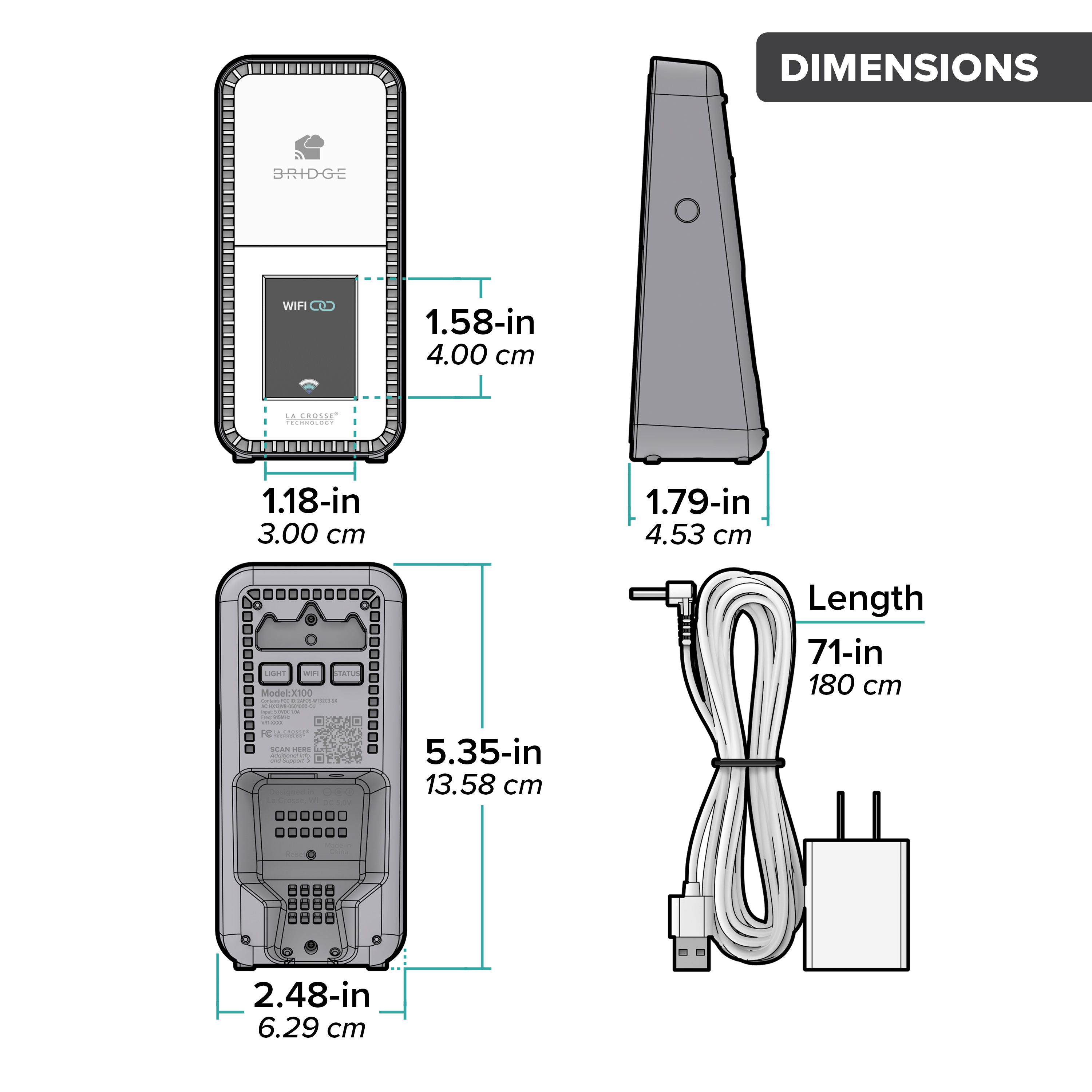
BRIDGE SPECS (X100)
*Note: If you have a multi-band router, this device will connect to the 2.4GHz band when connecting to Wi-Fi.
La Crosse Technology, Ltd. provides, to the original purchaser, a 1-year limited time warranty on this product, relating to manufacturing defects in materials & workmanship. In accordance with the Song-Beverly Act, in the state of California, the warranty on this item becomes effective on the date of delivery. The item will be either repaired or replaced at La Crosse Technology's discretion.
Click Here for full warranty details
Use the registration form below to register ownership of your product only. If you have a question about use of the unit, please click on the support tab next to this one to see available support material or submit a ticket.


